
There's a specific frustration that comes with SMP that was once a good result and then wasn't. The dots that looked crisp in the weeks after healing have merged into patches. The overall shading that read as natural hair stubble now reads as a grey or blue shadow. The effect that was supposed to be undetectable has become the first thing people notice, for the wrong reasons.
This pattern is one Studio Kiku sees consistently. When SMP starts looking wrong months or years after the initial work, the explanation is almost always the same: how the pigment was placed. Not aftercare, not sun exposure, not anything the client did.
What causes SMP pigment to spread and blur
Scalp micropigmentation works by placing tiny deposits of pigment into the upper layers of the skin, each one replicating the appearance of a shaved hair follicle. When the placement is correct, the dots stay defined. When pigment is placed too deep, the dot spreads as the pigment settles into tissue that is less structured. What started as a small, sharp deposit becomes a larger, softer shape over months.
Oversaturation compounds this. When a practitioner layers too much pigment into a small area, or returns to an area before it has settled, the individual deposits overlap and merge. What the client sees is not separate follicles but a continuous dark mass across sections of the scalp.
As Billy DeCola, Studio Kiku's founder, puts it in The Faded Podcast: "if the pigment's put in too deep, the dot will become bigger and it'll look like a big splotch of pigment on the person's head. That definitely isn't a good look."
The signs that something has gone wrong
The visible result varies depending on whether the problem is depth, oversaturation, or both. A depth problem tends to produce dots that have grown and softened: the sharpness is gone and each spot looks smeared at the edges. An oversaturation problem produces a flat, heavy look across a section of the scalp, where the coverage has become too dense to read as separate follicles.
The two often appear together. A practitioner who places pigment deeply and applies heavy coverage creates the most difficult result: dense pigment that sits far into the scalp and has spread into surrounding tissue.
One early indicator is a colour shift. Pigment placed deep can take on a blue or grey cast over time, particularly if it was mixed cool. Combined with the spreading of the dots, the overall effect starts to look more like a solid shadow than like natural stubble.
How laser addresses oversaturation and blotching
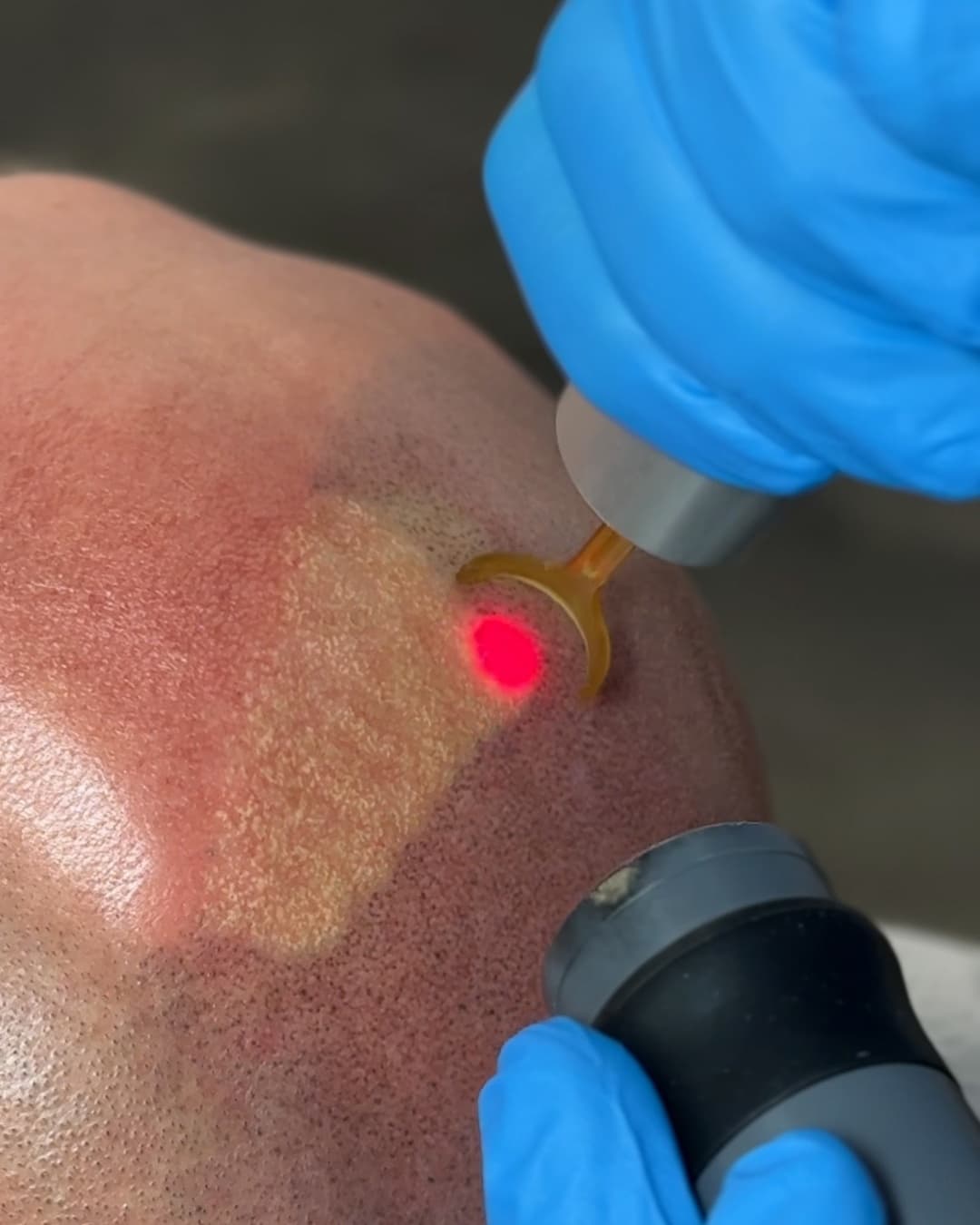
The PicoWay laser targets pigment specifically, delivering concentrated energy that shatters the deposits into particles small enough for the body's lymphatic system to clear. This happens regardless of whether the pigment is spread across a wide dot or packed into a dense mass.
For oversaturated or blotchy SMP, the goal across a series of sessions is a gradual reduction in pigment density. The laser reduces the mass, and as sessions continue and the body clears the fragmented material, the heavy flat coverage begins to break up. Treatments are spaced a minimum of 8 weeks apart to give the body time to process what was fragmented before the next pass.
For some clients, the goal is correction: lightening the existing work enough that a fresh SMP application can sit cleanly over it. For others, full removal is the outcome they want. The SMP removal service covers both.
What the laser cannot fully reach in every case
Some pigment situations have limits that are worth knowing before treatment starts.
If the original SMP practitioner used a white or flesh-toned pigment to conceal earlier mistakes, laser will not clear it and can make the situation worse. White pigment oxidises when hit with laser energy and can darken rather than fade. Any SMP that contains this type of pigment requires a detailed consultation to establish what removal can and cannot address.
Very deep, highly saturated pigment can lighten significantly across multiple sessions, but full clearance is not guaranteed. The deeper and denser the original placement, the longer the process and the less predictable the end point.
Some SMP formulations also include warm undertones added to prevent pigment from healing grey. When the laser lifts the dark outer layer, these warm pigments can surface, following the same pattern as brow pigment removal. The result after an early session may be unexpected in colour, and it may require additional targeted work to address.
Starting with a consultation
If your SMP has shifted from the original result and now looks noticeably heavy, blotchy, or unnatural, a consultation at Studio Kiku gives a specific read on what is there and what laser can realistically address. Pigment depth and saturation are assessed in person, and you leave with a clear picture of the session range and what to expect.
Book a free consultation at Vancouver, Langley, or Vaughan. The team looks at the pigment directly, gives a straightforward assessment of the situation, and walks you through the correction or removal path from there.
Thanks for reading.